 e1921fc8c0
### _Why are the changes needed?_ make documentation style to fit official web site ### _How was this patch tested?_ - [ ] Add some test cases that check the changes thoroughly including negative and positive cases if possible - [x] Add screenshots for manual tests if appropriate 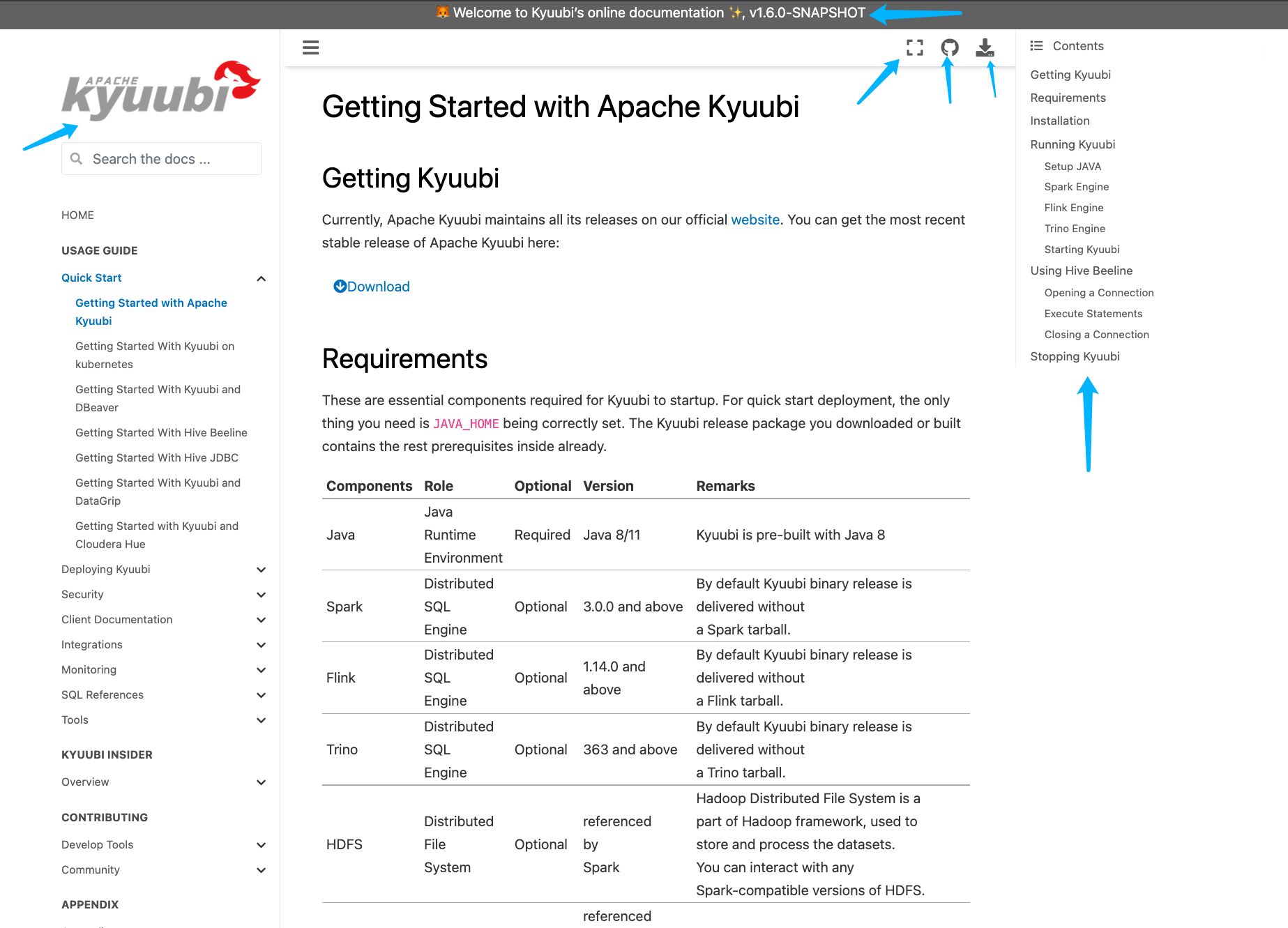 - [x] [Run test](https://kyuubi.apache.org/docs/latest/develop_tools/testing.html#running-tests) locally before make a pull request Closes #2751 from yaooqinn/doc2. Closes #2751 b8123525 [Kent Yao] Switch Authored-by: Kent Yao <yao@apache.org> Signed-off-by: Cheng Pan <chengpan@apache.org>

524 lines
30 KiB
Markdown
524 lines
30 KiB
Markdown
<!--
|
|
- Licensed to the Apache Software Foundation (ASF) under one or more
|
|
- contributor license agreements. See the NOTICE file distributed with
|
|
- this work for additional information regarding copyright ownership.
|
|
- The ASF licenses this file to You under the Apache License, Version 2.0
|
|
- (the "License"); you may not use this file except in compliance with
|
|
- the License. You may obtain a copy of the License at
|
|
-
|
|
- http://www.apache.org/licenses/LICENSE-2.0
|
|
-
|
|
- Unless required by applicable law or agreed to in writing, software
|
|
- distributed under the License is distributed on an "AS IS" BASIS,
|
|
- WITHOUT WARRANTIES OR CONDITIONS OF ANY KIND, either express or implied.
|
|
- See the License for the specific language governing permissions and
|
|
- limitations under the License.
|
|
-->
|
|
|
|
|
|
# Getting Started with Apache Kyuubi
|
|
|
|
|
|
## Getting Kyuubi
|
|
|
|
Currently, Apache Kyuubi maintains all its releases on our official [website](https://kyuubi.apache.org/releases.html).
|
|
You can get the most recent stable release of Apache Kyuubi here:
|
|
|
|
<p><a class="btn btn-neutral" href="https://kyuubi.apache.org/releases.html" data-color-scheme="no-preference: light; light: dark; dark: light;" data-icon="octicon-download" data-size="large" aria-label="Download Kyuubi"><span class="fa fa-arrow-circle-down" aria-hidden="true"></span>Download</a></p>
|
|
|
|
## Requirements
|
|
|
|
These are essential components required for Kyuubi to startup.
|
|
For quick start deployment, the only thing you need is `JAVA_HOME` being correctly set.
|
|
The Kyuubi release package you downloaded or built contains the rest prerequisites inside already.
|
|
|
|
Components| Role | Optional | Version | Remarks
|
|
--- | --- | --- | --- | ---
|
|
Java | Java<br>Runtime<br>Environment | Required | Java 8/11 | Kyuubi is pre-built with Java 8
|
|
Spark | Distributed<br>SQL<br>Engine | Optional | 3.0.0 and above | By default Kyuubi binary release is delivered without<br> a Spark tarball.
|
|
Flink | Distributed<br>SQL<br>Engine | Optional | 1.14.0 and above | By default Kyuubi binary release is delivered without<br> a Flink tarball.
|
|
Trino | Distributed<br>SQL<br>Engine | Optional | 363 and above | By default Kyuubi binary release is delivered without<br> a Trino tarball.
|
|
HDFS | Distributed<br>File<br>System | Optional | referenced<br>by<br>Spark | Hadoop Distributed File System is a <br>part of Hadoop framework, used to<br> store and process the datasets.<br> You can interact with any<br> Spark-compatible versions of HDFS.
|
|
Hive | Metastore | Optional | referenced<br>by<br>Spark | Hive Metastore for Spark SQL to connect
|
|
Zookeeper | Service<br>Discovery | Optional | Any<br>zookeeper<br>ensemble<br>compatible<br>with<br>curator(2.12.0) | By default, Kyuubi provides a<br> embedded Zookeeper server inside for<br> non-production use.
|
|
|
|
Additionally, if you want to work with other Spark/Flink/Trino compatible systems or plugins, you only need to take care of them as using them with regular Spark/Flink/Trino applications.
|
|
For example, you can run Spark/Flink/Trino SQL engines created by the Kyuubi on any cluster manager, including YARN, Kubernetes, Mesos, e.t.c...
|
|
Or, you can manipulate data from different data sources with the Spark Datasource/Flink Table API, e.g. Delta Lake, Apache Hudi, Apache Iceberg, Apache Kudu and e.t.c...
|
|
|
|
## Installation
|
|
|
|
To install Kyuubi, you need to unpack the tarball. For example,
|
|
|
|
```bash
|
|
tar zxf apache-kyuubi-1.5.0-incubating-bin.tgz
|
|
```
|
|
|
|
This will result in the creation of a subdirectory named `apache-kyuubi-1.5.0-incubating-bin` shown below,
|
|
|
|
```bash
|
|
apache-kyuubi-1.5.0-incubating-bin
|
|
├── DISCLAIMER
|
|
├── LICENSE
|
|
├── NOTICE
|
|
├── RELEASE
|
|
├── beeline-jars
|
|
├── bin
|
|
├── conf
|
|
| ├── kyuubi-defaults.conf.template
|
|
│ ├── kyuubi-env.sh.template
|
|
│ └── log4j2.properties.template
|
|
├── docker
|
|
│ ├── Dockerfile
|
|
│ ├── helm
|
|
│ ├── kyuubi-configmap.yaml
|
|
│ ├── kyuubi-deployment.yaml
|
|
│ ├── kyuubi-pod.yaml
|
|
│ └── kyuubi-service.yaml
|
|
├── externals
|
|
│ └── engines
|
|
├── jars
|
|
├── licenses
|
|
├── logs
|
|
├── pid
|
|
└── work
|
|
```
|
|
|
|
From top to bottom are:
|
|
|
|
- DISCLAIMER: the disclaimer made by Apache Kyuubi Community as a project still in ASF Incubator.
|
|
- LICENSE: the [APACHE LICENSE, VERSION 2.0](https://www.apache.org/licenses/LICENSE-2.0) we claim to obey.
|
|
- RELEASE: the build information of this package.
|
|
- NOTICE: the notice made by Apache Kyuubi Community about its project and dependencies.
|
|
- bin: the entry of the Kyuubi server with `kyuubi` as the startup script.
|
|
- conf: all the defaults used by Kyuubi Server itself or creating a session with Spark applications.
|
|
- externals
|
|
- engines: contains all kinds of SQL engines that we support, e.g. Apache Spark, Apache Flink, Trino.
|
|
- licenses: a bunch of licenses included.
|
|
- jars: packages needed by the Kyuubi server.
|
|
- logs: where the logs of the Kyuubi server locates.
|
|
- pid: stores the PID file of the Kyuubi server instance.
|
|
- work: the root of the working directories of all the forked sub-processes, a.k.a. SQL engines.
|
|
|
|
## Running Kyuubi
|
|
|
|
As mentioned above, for a quick start deployment, then only you need to be sure is that the below environments are correct:
|
|
|
|
- Java runtime environment
|
|
- `SPARK_HOME` for the Spark engine
|
|
- `FLINK_HOME` and `kyuubi.engine.type` in `$KYUUBI_HOME/conf/kyuubi-defaults.conf` for the Flink engine.
|
|
- `kyuubi.engine.type` `session.engine.trino.connection.url` and `session.engine.trino.connection.catalog` in `$KYUUBI_HOME/conf/kyuubi-defaults.conf` for the Trino engine
|
|
|
|
### Setup JAVA
|
|
|
|
You can either set it system-widely, e.g. in the `.bashrc` file.
|
|
|
|
```bash
|
|
java -version
|
|
java version "1.8.0_251"
|
|
Java(TM) SE Runtime Environment (build 1.8.0_251-b08)
|
|
Java HotSpot(TM) 64-Bit Server VM (build 25.251-b08, mixed mode)
|
|
```
|
|
|
|
Or, `export JAVA_HOME=/path/to/java` in the local os session.
|
|
|
|
```bash
|
|
export JAVA_HOME=/Library/Java/JavaVirtualMachines/jdk-11.0.5.jdk/Contents/Home
|
|
java -version
|
|
java version "11.0.5" 2019-10-15 LTS
|
|
Java(TM) SE Runtime Environment 18.9 (build 11.0.5+10-LTS)
|
|
Java HotSpot(TM) 64-Bit Server VM 18.9 (build 11.0.5+10-LTS, mixed mode)
|
|
```
|
|
|
|
The recommended place to set `JAVA_HOME` is `$KYUUBI_HOME/conf/kyuubi-env.sh`, as the ways above are too flaky.
|
|
The `JAVA_HOME` in `$KYUUBI_HOME/conf/kyuubi-env.sh` will take others' precedence.
|
|
|
|
### Spark Engine
|
|
|
|
#### Setup Spark
|
|
|
|
Similar to `JAVA_HOME`, you can also set `SPARK_HOME` in different ways. However, we recommend setting it in `$KYUUBI_HOME/conf/kyuubi-env.sh` too.
|
|
|
|
For example,
|
|
|
|
```bash
|
|
SPARK_HOME=~/Downloads/spark-3.2.0-bin-hadoop3.2
|
|
```
|
|
|
|
### Flink Engine
|
|
|
|
#### Setup Flink
|
|
|
|
Similar to `JAVA_HOME`, you can also set `FLINK_HOME` in different ways. However, we recommend setting it in `$KYUUBI_HOME/conf/kyuubi-env.sh` too.
|
|
|
|
For example,
|
|
|
|
```bash
|
|
FLINK_HOME=/Downloads/flink-1.14.4
|
|
```
|
|
|
|
#### Setup Kyuubi Flink Configration
|
|
|
|
To enable the Flink SQL engine, the `kyuubi.engine.type` in `$KYUUBI_HOME/conf/kyuubi-defaults.conf` need to be set as `FLINK_SQL`.
|
|
|
|
```bash
|
|
kyuubi.engine.type FLINK_SQL
|
|
```
|
|
|
|
### Trino Engine
|
|
|
|
#### Setup Trino
|
|
Different from Spark/Flink, you must have a Trino cluster first. Trino client stored in `$KYUUBI_HOME/externals/engines/trino`.
|
|
|
|
#### Setup Kyuubi Trino Configration
|
|
|
|
To enable the Trino engine, the `kyuubi.engine.type` need to be set as `TRINO`. And `kyuubi.session.engine.trino.connection.url` and `kyuubi.session.engine.trino.connection.catalog` are also necessary. You can set all those configs in `$KYUUBI_HOME/conf/kyuubi-defaults.conf`, or set them in your connection parameters.
|
|
|
|
```bash
|
|
kyuubi.engine.type TRINO
|
|
kyuubi.session.engine.trino.connection.url http://localhost:8080 # Your trino cluster server url
|
|
kyuubi.session.engine.trino.connection.catalog hive # The default catalog connect to.
|
|
```
|
|
|
|
### Starting Kyuubi
|
|
|
|
```bash
|
|
bin/kyuubi start
|
|
```
|
|
|
|
It will print all essential environment variables on the screen during the server starts, and you may check whether they are expected.
|
|
|
|
```log
|
|
Starting Kyuubi Server from /Users/kentyao/svn-kyuubi/v1.3.1-incubating-rc0/apache-kyuubi-1.3.1-incubating-bin
|
|
Warn: Not find kyuubi environment file /Users/kentyao/svn-kyuubi/v1.3.1-incubating-rc0/apache-kyuubi-1.3.1-incubating-bin/conf/kyuubi-env.sh, using default ones...
|
|
JAVA_HOME: /Library/Java/JavaVirtualMachines/jdk1.8.0_251.jdk/Contents/Home
|
|
KYUUBI_HOME: /Users/kentyao/svn-kyuubi/v1.3.1-incubating-rc0/apache-kyuubi-1.3.1-incubating-bin
|
|
KYUUBI_CONF_DIR: /Users/kentyao/svn-kyuubi/v1.3.1-incubating-rc0/apache-kyuubi-1.3.1-incubating-bin/conf
|
|
KYUUBI_LOG_DIR: /Users/kentyao/svn-kyuubi/v1.3.1-incubating-rc0/apache-kyuubi-1.3.1-incubating-bin/logs
|
|
KYUUBI_PID_DIR: /Users/kentyao/svn-kyuubi/v1.3.1-incubating-rc0/apache-kyuubi-1.3.1-incubating-bin/pid
|
|
KYUUBI_WORK_DIR_ROOT: /Users/kentyao/svn-kyuubi/v1.3.1-incubating-rc0/apache-kyuubi-1.3.1-incubating-bin/work
|
|
SPARK_HOME: /Users/kentyao/Downloads/spark/spark-3.2.0-bin-hadoop3.2
|
|
SPARK_CONF_DIR: /Users/kentyao/Downloads/spark/spark-3.2.0-bin-hadoop3.2/conf
|
|
HADOOP_CONF_DIR:
|
|
YARN_CONF_DIR:
|
|
Starting org.apache.kyuubi.server.KyuubiServer, logging to /Users/kentyao/svn-kyuubi/v1.3.1-incubating-rc0/apache-kyuubi-1.3.1-incubating-bin/logs/kyuubi-kentyao-org.apache.kyuubi.server.KyuubiServer-hulk.local.out
|
|
Welcome to
|
|
__ __ __
|
|
/\ \/\ \ /\ \ __
|
|
\ \ \/'/' __ __ __ __ __ __\ \ \____/\_\
|
|
\ \ , < /\ \/\ \/\ \/\ \/\ \/\ \\ \ '__`\/\ \
|
|
\ \ \\`\\ \ \_\ \ \ \_\ \ \ \_\ \\ \ \L\ \ \ \
|
|
\ \_\ \_\/`____ \ \____/\ \____/ \ \_,__/\ \_\
|
|
\/_/\/_/`/___/> \/___/ \/___/ \/___/ \/_/
|
|
/\___/
|
|
\/__/
|
|
```
|
|
|
|
If all goes well, this will result in the creation of the Kyuubi server instance with a `PID` stored in `$KYUUBI_HOME/pid/kyuubi-<username>-org.apache.kyuubi.server.KyuubiServer.pid`
|
|
|
|
Then, you can get the JDBC connection URL at the end of the log file, e.g.
|
|
|
|
```
|
|
ThriftFrontendService: Starting and exposing JDBC connection at: jdbc:hive2://localhost:10009/
|
|
```
|
|
|
|
If something goes wrong, you shall be able to find some clues in the log file too.
|
|
|
|
Alternatively, it can run in the foreground, with the logs and other output written to stdout/stderr.
|
|
Both streams should be captured if using a supervision system like `supervisord`.
|
|
|
|
```bash
|
|
bin/kyuubi run
|
|
```
|
|
|
|
## Using Hive Beeline
|
|
|
|
Kyuubi server is compatible with Apache Hive beeline, so you can use `$KYUUBI_HOME/bin/beeline` for testing.
|
|
|
|
### Opening a Connection
|
|
|
|
The command below will tell the Kyuubi server to create a session with itself.
|
|
|
|
```logtalk
|
|
bin/beeline -u 'jdbc:hive2://localhost:10009/'
|
|
Connecting to jdbc:hive2://localhost:10009/
|
|
Connected to: Spark SQL (version 1.0.2)
|
|
Driver: Hive JDBC (version 2.3.7)
|
|
Transaction isolation: TRANSACTION_REPEATABLE_READ
|
|
Beeline version 2.3.7 by Apache Hive
|
|
0: jdbc:hive2://localhost:10009/>
|
|
```
|
|
|
|
In this case, the session will create for the user named 'anonymous'.
|
|
|
|
Kyuubi will create a Spark/Flink/Trino SQL engine application using `kyuubi-<engine>-sql-engine_2.12-<version>.jar`.
|
|
It will cost awhile for the application to be ready before fully establishing the session.
|
|
Otherwise, an existing application will be reused, and the time cost here is negligible.
|
|
|
|
Similarly, you can create a session for another user(or principal, subject, and maybe something else you defined), e.g. named `kentyao`,
|
|
|
|
```bash
|
|
bin/beeline -u 'jdbc:hive2://localhost:10009/' -n kentyao
|
|
```
|
|
|
|
The formerly created Spark application for user 'anonymous' will not be reused in this case, while a brand new application will be submitted for user 'kentyao' instead.
|
|
|
|
Then, you can see two processes running in your local environment, including one `KyuubiServer` instance, one `SparkSubmit` `FlinkSQLEngine` or `TrinoSqlEngine` instances as the SQL engines.
|
|
|
|
- Spark
|
|
|
|
```
|
|
75730 Jps
|
|
70843 KyuubiServer
|
|
72566 SparkSubmit
|
|
```
|
|
|
|
- Flink
|
|
|
|
```
|
|
43484 Jps
|
|
43194 KyuubiServer
|
|
43260 FlinkSQLEngine
|
|
```
|
|
|
|
- Trino
|
|
|
|
```
|
|
63483 Jps
|
|
63693 KyuubiServer
|
|
63266 TrinoSqlEngine
|
|
```
|
|
|
|
### Execute Statements
|
|
|
|
#### Execute Spark SQL Statements
|
|
|
|
If the beeline session is successfully connected, then you can run any query supported by Spark SQL now. For example,
|
|
|
|
```logtalk
|
|
0: jdbc:hive2://10.242.189.214:2181/> select timestamp '2018-11-17';
|
|
2021-10-28 13:56:27.509 INFO operation.ExecuteStatement: Processing kent's query[1f619182-20ad-4733-995b-a5e43b80d998]: INITIALIZED_STATE -> PENDING_STATE, statement: select timestamp '2018-11-17'
|
|
2021-10-28 13:56:27.547 INFO operation.ExecuteStatement: Processing kent's query[1f619182-20ad-4733-995b-a5e43b80d998]: PENDING_STATE -> RUNNING_STATE, statement: select timestamp '2018-11-17'
|
|
2021-10-28 13:56:27.540 INFO operation.ExecuteStatement: Processing kent's query[a46ca504-fe3a-4dfb-be1e-19770af8ac4c]: INITIALIZED_STATE -> PENDING_STATE, statement: select timestamp '2018-11-17'
|
|
2021-10-28 13:56:27.541 INFO operation.ExecuteStatement: Processing kent's query[a46ca504-fe3a-4dfb-be1e-19770af8ac4c]: PENDING_STATE -> RUNNING_STATE, statement: select timestamp '2018-11-17'
|
|
2021-10-28 13:56:27.543 INFO operation.ExecuteStatement:
|
|
Spark application name: kyuubi_USER_kent_7ad055d0-3eca-4b78-87e8-94b22f3bade9
|
|
application ID: local-1635400506190
|
|
application web UI: http://10.242.189.214:56774
|
|
master: local[*]
|
|
deploy mode: client
|
|
version: 3.2.0
|
|
Start time: 2021-10-28T13:55:05.528
|
|
User: kent
|
|
2021-10-28 13:56:27.604 INFO operation.ExecuteStatement: Processing kent's query[a46ca504-fe3a-4dfb-be1e-19770af8ac4c]: RUNNING_STATE -> RUNNING_STATE, statement: select timestamp '2018-11-17'
|
|
2021-10-28 13:56:27.627 INFO codegen.CodeGenerator: Code generated in 6.696179 ms
|
|
2021-10-28 13:56:27.635 INFO spark.SparkContext: Starting job: collect at ExecuteStatement.scala:97
|
|
2021-10-28 13:56:27.639 INFO kyuubi.SQLOperationListener: Query [a46ca504-fe3a-4dfb-be1e-19770af8ac4c]: Job 3 started with 1 stages, 1 active jobs running
|
|
2021-10-28 13:56:27.639 INFO kyuubi.SQLOperationListener: Query [a46ca504-fe3a-4dfb-be1e-19770af8ac4c]: Stage 3 started with 1 tasks, 1 active stages running
|
|
2021-10-28 13:56:27.651 INFO scheduler.DAGScheduler: Job 3 finished: collect at ExecuteStatement.scala:97, took 0.016234 s
|
|
2021-10-28 13:56:27.653 INFO kyuubi.SQLOperationListener: Finished stage: Stage(3, 0); Name: 'collect at ExecuteStatement.scala:97'; Status: succeeded; numTasks: 1; Took: 13 msec
|
|
2021-10-28 13:56:27.663 INFO scheduler.StatsReportListener: task runtime:(count: 1, mean: 8.000000, stdev: 0.000000, max: 8.000000, min: 8.000000)
|
|
2021-10-28 13:56:27.664 INFO scheduler.StatsReportListener: 0% 5% 10% 25% 50% 75% 90% 95% 100%
|
|
2021-10-28 13:56:27.664 INFO scheduler.StatsReportListener: 8.0 ms 8.0 ms 8.0 ms 8.0 ms 8.0 ms 8.0 ms 8.0 ms 8.0 ms 8.0 ms
|
|
2021-10-28 13:56:27.665 INFO scheduler.StatsReportListener: shuffle bytes written:(count: 1, mean: 0.000000, stdev: 0.000000, max: 0.000000, min: 0.000000)
|
|
2021-10-28 13:56:27.665 INFO scheduler.StatsReportListener: 0% 5% 10% 25% 50% 75% 90% 95% 100%
|
|
2021-10-28 13:56:27.665 INFO scheduler.StatsReportListener: 0.0 B 0.0 B 0.0 B 0.0 B 0.0 B 0.0 B 0.0 B 0.0 B 0.0 B
|
|
2021-10-28 13:56:27.666 INFO scheduler.StatsReportListener: fetch wait time:(count: 1, mean: 0.000000, stdev: 0.000000, max: 0.000000, min: 0.000000)
|
|
2021-10-28 13:56:27.666 INFO scheduler.StatsReportListener: 0% 5% 10% 25% 50% 75% 90% 95% 100%
|
|
2021-10-28 13:56:27.666 INFO scheduler.StatsReportListener: 0.0 ms 0.0 ms 0.0 ms 0.0 ms 0.0 ms 0.0 ms 0.0 ms 0.0 ms 0.0 ms
|
|
2021-10-28 13:56:27.667 INFO scheduler.StatsReportListener: remote bytes read:(count: 1, mean: 0.000000, stdev: 0.000000, max: 0.000000, min: 0.000000)
|
|
2021-10-28 13:56:27.667 INFO scheduler.StatsReportListener: 0% 5% 10% 25% 50% 75% 90% 95% 100%
|
|
2021-10-28 13:56:27.667 INFO scheduler.StatsReportListener: 0.0 B 0.0 B 0.0 B 0.0 B 0.0 B 0.0 B 0.0 B 0.0 B 0.0 B
|
|
2021-10-28 13:56:27.668 INFO scheduler.StatsReportListener: task result size:(count: 1, mean: 1402.000000, stdev: 0.000000, max: 1402.000000, min: 1402.000000)
|
|
2021-10-28 13:56:27.668 INFO scheduler.StatsReportListener: 0% 5% 10% 25% 50% 75% 90% 95% 100%
|
|
2021-10-28 13:56:27.669 INFO scheduler.StatsReportListener: 1402.0 B 1402.0 B 1402.0 B 1402.0 B 1402.0 B 1402.0 B 1402.0 B 1402.0 B 1402.0 B
|
|
2021-10-28 13:56:27.669 INFO codegen.CodeGenerator: Code generated in 8.815996 ms
|
|
2021-10-28 13:56:27.672 INFO scheduler.StatsReportListener: executor (non-fetch) time pct: (count: 1, mean: 12.500000, stdev: 0.000000, max: 12.500000, min: 12.500000)
|
|
2021-10-28 13:56:27.672 INFO scheduler.StatsReportListener: 0% 5% 10% 25% 50% 75% 90% 95% 100%
|
|
2021-10-28 13:56:27.672 INFO scheduler.StatsReportListener: 13 % 13 % 13 % 13 % 13 % 13 % 13 % 13 % 13 %
|
|
2021-10-28 13:56:27.673 INFO scheduler.StatsReportListener: fetch wait time pct: (count: 1, mean: 0.000000, stdev: 0.000000, max: 0.000000, min: 0.000000)
|
|
2021-10-28 13:56:27.673 INFO scheduler.StatsReportListener: 0% 5% 10% 25% 50% 75% 90% 95% 100%
|
|
2021-10-28 13:56:27.673 INFO scheduler.StatsReportListener: 0 % 0 % 0 % 0 % 0 % 0 % 0 % 0 % 0 %
|
|
2021-10-28 13:56:27.674 INFO scheduler.StatsReportListener: other time pct: (count: 1, mean: 87.500000, stdev: 0.000000, max: 87.500000, min: 87.500000)
|
|
2021-10-28 13:56:27.674 INFO scheduler.StatsReportListener: 0% 5% 10% 25% 50% 75% 90% 95% 100%
|
|
2021-10-28 13:56:27.674 INFO scheduler.StatsReportListener: 88 % 88 % 88 % 88 % 88 % 88 % 88 % 88 % 88 %
|
|
2021-10-28 13:56:27.674 INFO kyuubi.SQLOperationListener: Query [a46ca504-fe3a-4dfb-be1e-19770af8ac4c]: Job 3 succeeded, 0 active jobs running
|
|
2021-10-28 13:56:27.744 INFO operation.ExecuteStatement: Processing kent's query[a46ca504-fe3a-4dfb-be1e-19770af8ac4c]: RUNNING_STATE -> FINISHED_STATE, statement: select timestamp '2018-11-17', time taken: 0.202 seconds
|
|
2021-10-28 13:56:27.784 INFO operation.ExecuteStatement: Query[1f619182-20ad-4733-995b-a5e43b80d998] in FINISHED_STATE
|
|
2021-10-28 13:56:27.784 INFO operation.ExecuteStatement: Processing kent's query[1f619182-20ad-4733-995b-a5e43b80d998]: RUNNING_STATE -> FINISHED_STATE, statement: select timestamp '2018-11-17', time taken: 0.237 seconds
|
|
+----------------------------------+
|
|
| TIMESTAMP '2018-11-17 00:00:00' |
|
|
+----------------------------------+
|
|
| 2018-11-17 00:00:00.0 |
|
|
+----------------------------------+
|
|
1 row selected (0.404 seconds)
|
|
```
|
|
|
|
As shown in the above case, you can retrieve all the operation logs, the result schema, and the result to your client-side in the beeline console.
|
|
|
|
Additionally, some useful information about the background Spark SQL application associated with this connection is also printed in the operation log.
|
|
For example, you can get the Spark web UI from the log for debugging or tuning.
|
|
|
|

|
|
|
|
#### Execute Flink SQL Statements
|
|
|
|
If the beeline session is successfully connected, then you can run any query supported by Flink SQL now. For example,
|
|
|
|
```logtalk
|
|
0: jdbc:hive2://127.0.0.1:10009/default> CREATE TABLE T (
|
|
. . . . . . . . . . . . . . . . . . . . . . > a INT,
|
|
. . . . . . . . . . . . . . . . . . . . . . > b VARCHAR(10)
|
|
. . . . . . . . . . . . . . . . . . . . . . > ) WITH (
|
|
. . . . . . . . . . . . . . . . . . . . . . > 'connector.type' = 'filesystem',
|
|
. . . . . . . . . . . . . . . . . . . . . . > 'connector.path' = 'file:///tmp/T.csv',
|
|
. . . . . . . . . . . . . . . . . . . . . . > 'format.type' = 'csv',
|
|
. . . . . . . . . . . . . . . . . . . . . . > 'format.derive-schema' = 'true'
|
|
. . . . . . . . . . . . . . . . . . . . . . > );
|
|
16:28:47.164 INFO org.apache.kyuubi.operation.ExecuteStatement: Processing anonymous's query[22a73e39-d9d7-479b-a118-33f9d2a5ad3f]: INITIALIZED_STATE -> PENDING_STATE, statement: CREATE TABLE T(
|
|
a INT,
|
|
b VARCHAR(10)
|
|
) WITH (
|
|
'connector.type' = 'filesystem',
|
|
'connector.path' = 'file:///tmp/T.csv',
|
|
'format.type' = 'csv',
|
|
'format.derive-schema' = 'true'
|
|
)
|
|
16:28:47.187 INFO org.apache.kyuubi.operation.ExecuteStatement: Processing anonymous's query[22a73e39-d9d7-479b-a118-33f9d2a5ad3f]: PENDING_STATE -> RUNNING_STATE, statement: CREATE TABLE T(
|
|
a INT,
|
|
b VARCHAR(10)
|
|
) WITH (
|
|
'connector.type' = 'filesystem',
|
|
'connector.path' = 'file:///tmp/T.csv',
|
|
'format.type' = 'csv',
|
|
'format.derive-schema' = 'true'
|
|
)
|
|
16:28:47.320 INFO org.apache.kyuubi.operation.ExecuteStatement: Query[22a73e39-d9d7-479b-a118-33f9d2a5ad3f] in FINISHED_STATE
|
|
16:28:47.322 INFO org.apache.kyuubi.operation.ExecuteStatement: Processing anonymous's query[22a73e39-d9d7-479b-a118-33f9d2a5ad3f]: RUNNING_STATE -> FINISHED_STATE, statement: CREATE TABLE T(
|
|
a INT,
|
|
b VARCHAR(10)
|
|
) WITH (
|
|
'connector.type' = 'filesystem',
|
|
'connector.path' = 'file:///tmp/T.csv',
|
|
'format.type' = 'csv',
|
|
'format.derive-schema' = 'true'
|
|
), time taken: 0.134 seconds
|
|
+---------+
|
|
| result |
|
|
+---------+
|
|
| OK |
|
|
+---------+
|
|
1 row selected (0.341 seconds)
|
|
0: jdbc:hive2://127.0.0.1:10009/default> INSERT INTO T VALUES (1, 'Hi'), (2, 'Hello');
|
|
16:28:52.780 INFO org.apache.kyuubi.operation.ExecuteStatement: Processing anonymous's query[d79abf78-d2ae-468f-87b2-19db1fc6e19a]: INITIALIZED_STATE -> PENDING_STATE, statement: INSERT INTO T VALUES (1, 'Hi'), (2, 'Hello')
|
|
16:28:52.786 INFO org.apache.kyuubi.operation.ExecuteStatement: Processing anonymous's query[d79abf78-d2ae-468f-87b2-19db1fc6e19a]: PENDING_STATE -> RUNNING_STATE, statement: INSERT INTO T VALUES (1, 'Hi'), (2, 'Hello')
|
|
16:28:57.827 INFO org.apache.kyuubi.operation.ExecuteStatement: Query[d79abf78-d2ae-468f-87b2-19db1fc6e19a] in RUNNING_STATE
|
|
16:28:59.836 INFO org.apache.kyuubi.operation.ExecuteStatement: Query[d79abf78-d2ae-468f-87b2-19db1fc6e19a] in FINISHED_STATE
|
|
16:28:59.837 INFO org.apache.kyuubi.operation.ExecuteStatement: Processing anonymous's query[d79abf78-d2ae-468f-87b2-19db1fc6e19a]: RUNNING_STATE -> FINISHED_STATE, statement: INSERT INTO T VALUES (1, 'Hi'), (2, 'Hello'), time taken: 7.05 seconds
|
|
+-------------------------------------+
|
|
| default_catalog.default_database.T |
|
|
+-------------------------------------+
|
|
| -1 |
|
|
+-------------------------------------+
|
|
1 row selected (7.104 seconds)
|
|
0: jdbc:hive2://127.0.0.1:10009/default>
|
|
0: jdbc:hive2://127.0.0.1:10009/default> SELECT * FROM T;
|
|
16:29:08.092 INFO org.apache.kyuubi.operation.ExecuteStatement: Processing anonymous's query[af5660c0-fcc4-4f80-b3fd-c4a799faf33f]: INITIALIZED_STATE -> PENDING_STATE, statement: SELECT * FROM T
|
|
16:29:08.101 INFO org.apache.kyuubi.operation.ExecuteStatement: Processing anonymous's query[af5660c0-fcc4-4f80-b3fd-c4a799faf33f]: PENDING_STATE -> RUNNING_STATE, statement: SELECT * FROM T
|
|
16:29:12.519 INFO org.apache.kyuubi.operation.ExecuteStatement: Query[af5660c0-fcc4-4f80-b3fd-c4a799faf33f] in FINISHED_STATE
|
|
16:29:12.520 INFO org.apache.kyuubi.operation.ExecuteStatement: Processing anonymous's query[af5660c0-fcc4-4f80-b3fd-c4a799faf33f]: RUNNING_STATE -> FINISHED_STATE, statement: SELECT * FROM T, time taken: 4.419 seconds
|
|
+----+--------+
|
|
| a | b |
|
|
+----+--------+
|
|
| 1 | Hi |
|
|
| 2 | Hello |
|
|
+----+--------+
|
|
2 rows selected (4.466 seconds)
|
|
```
|
|
|
|
As shown in the above case, you can retrieve all the operation logs, the result schema, and the result to your client-side in the beeline console.
|
|
|
|
Additionally, some useful information about the background Flink SQL application associated with this connection is also printed in the operation log.
|
|
For example, you can get the Flink web UI from the log for debugging or tuning.
|
|
|
|

|
|
|
|
#### Execute Trino Statements
|
|
|
|
If the beeline session is successfully connected, then you can run any query supported by Trino now. For example,
|
|
|
|
```logtalk
|
|
0: jdbc:hive2://127.0.0.1:10009/default> select timestamp '2018-11-17';
|
|
10:33:37.663 INFO org.apache.kyuubi.operation.ExecuteStatement: Processing yizhifeidie123's query[d059bc77-f2b6-4f95-b72b-859dbc07aacb]: INITIALIZED_STATE -> PENDING_STATE, statement: select timestamp '2018-11-17'
|
|
10:33:37.694 INFO org.apache.kyuubi.operation.ExecuteStatement: Processing yizhifeidie123's query[d059bc77-f2b6-4f95-b72b-859dbc07aacb]: PENDING_STATE -> RUNNING_STATE, statement: select timestamp '2018-11-17'
|
|
10:33:37.669 INFO org.apache.kyuubi.engine.trino.operation.ExecuteStatement: Processing yizhifeidie123's query[6353e64f-94ba-4770-989b-7186d267d8be]: INITIALIZED_STATE -> PENDING_STATE, statement: select timestamp '2018-11-17'10:33:37.693 INFO org.apache.kyuubi.engine.trino.operation.ExecuteStatement: Processing yizhifeidie123's query[6353e64f-94ba-4770-989b-7186d267d8be]: PENDING_STATE -> RUNNING_STATE, statement: select timestamp '2018-11-17'10:33:37.997 INFO org.apache.kyuubi.engine.trino.operation.ExecuteStatement: Execute in full collect mode10:33:37.999 INFO org.apache.kyuubi.engine.trino.operation.ExecuteStatement: Processing yizhifeidie123's query[6353e64f-94ba-4770-989b-7186d267d8be]: RUNNING_STATE -> FINISHED_STATE, statement: select timestamp '2018-11-17', time taken: 0.305 seconds
|
|
10:33:38.003 INFO org.apache.kyuubi.operation.ExecuteStatement: Query[d059bc77-f2b6-4f95-b72b-859dbc07aacb] in FINISHED_STATE
|
|
10:33:38.004 INFO org.apache.kyuubi.operation.ExecuteStatement: Processing yizhifeidie123's query[d059bc77-f2b6-4f95-b72b-859dbc07aacb]: RUNNING_STATE -> FINISHED_STATE, statement: select timestamp '2018-11-17', time taken: 0.31 seconds
|
|
+------------------------+
|
|
| _col0 |
|
|
+------------------------+
|
|
| 2018-11-17 00:00:00.0 |
|
|
+------------------------+
|
|
1 row selected (0.422 seconds)
|
|
0: jdbc:hive2://localhost:10009/default> select * from tpch.tiny.customer limit 6;
|
|
11:10:07.869 INFO org.apache.kyuubi.operation.ExecuteStatement: Processing kyuubi's query[8b96ccd1-d1e2-4068-b250-c5a66950e629]: INITIALIZED_STATE -> PENDING_STATE, statement: select * from tpch.tiny.customer limit 6
|
|
11:10:07.878 INFO org.apache.kyuubi.operation.ExecuteStatement: Processing kyuubi's query[8b96ccd1-d1e2-4068-b250-c5a66950e629]: PENDING_STATE -> RUNNING_STATE, statement: select * from tpch.tiny.customer limit 6
|
|
11:10:07.871 INFO org.apache.kyuubi.engine.trino.operation.ExecuteStatement: Processing kyuubi's query[d66faea0-fac8-4d3c-a38a-c84fba57d8a7]: INITIALIZED_STATE -> PENDING_STATE, statement: select * from tpch.tiny.customer limit 611:10:07.877 INFO org.apache.kyuubi.engine.trino.operation.ExecuteStatement: Processing kyuubi's query[d66faea0-fac8-4d3c-a38a-c84fba57d8a7]: PENDING_STATE -> RUNNING_STATE, statement: select * from tpch.tiny.customer limit 611:10:08.063 INFO org.apache.kyuubi.engine.trino.operation.ExecuteStatement: Execute in full collect mode11:10:08.064 INFO org.apache.kyuubi.engine.trino.operation.ExecuteStatement: Processing kyuubi's query[d66faea0-fac8-4d3c-a38a-c84fba57d8a7]: RUNNING_STATE -> FINISHED_STATE, statement: select * from tpch.tiny.customer limit 6, time taken: 0.186 seconds
|
|
11:10:08.066 INFO org.apache.kyuubi.operation.ExecuteStatement: Query[8b96ccd1-d1e2-4068-b250-c5a66950e629] in FINISHED_STATE
|
|
11:10:08.066 INFO org.apache.kyuubi.operation.ExecuteStatement: Processing kyuubi's query[8b96ccd1-d1e2-4068-b250-c5a66950e629]: RUNNING_STATE -> FINISHED_STATE, statement: select * from tpch.tiny.customer limit 6, time taken: 0.188 seconds
|
|
+----------+---------------------+----------------------------------+------------+------------------+----------+-------------+----------------------------------------------------+
|
|
| custkey | name | address | nationkey | phone | acctbal | mktsegment | comment |
|
|
+----------+---------------------+----------------------------------+------------+------------------+----------+-------------+----------------------------------------------------+
|
|
| 749 | Customer#000000749 | U1Dvu0r793a | 24 | 34-158-697-9591 | 7491.42 | MACHINERY | accounts was. final, final requests wake. theodolites was slyly. blithely even foxes wake carefully ac |
|
|
| 750 | Customer#000000750 | 5OyNRajjgjjbaXtI rkxvB2lX4c6u | 8 | 18-235-587-1274 | 269.9 | BUILDING | s. regular, regular deposits sleep carefully blithely bol |
|
|
| 751 | Customer#000000751 | e OSrreG6sx7l1t3wAg8u11DWk D 9 | 0 | 10-658-550-2257 | 2130.98 | FURNITURE | ges sleep furiously bold deposits. furiously regular requests cajole slyly. unusual accounts nag unusual ide |
|
|
| 752 | Customer#000000752 | KtdEacPUecPdPLt99kwZrnH9oIxUxpw | 8 | 18-924-993-6038 | 8363.66 | MACHINERY | mong the ironic, final waters. regular deposits above the fluffily ironic instructions |
|
|
| 753 | Customer#000000753 | 9k2PLlDRbMq4oSvW5Hh7Ak5iRDH | 17 | 27-817-126-3646 | 8114.44 | HOUSEHOLD | cies. deposits snooze. final, regular excuses wake furiously about the furiously final foxes. dependencies |
|
|
| 754 | Customer#000000754 | 8r5wwhhlL9MkAxOhRK | 0 | 10-646-595-5871 | -566.86 | BUILDING | er regular accounts against the furiously unusual somas sleep carefull |
|
|
+----------+---------------------+----------------------------------+------------+------------------+----------+-------------+----------------------------------------------------+
|
|
6 rows selected (0.21 seconds)
|
|
```
|
|
|
|
As shown in the above case, you can retrieve all the operation logs, the result schema, and the result to your client-side in the beeline console.
|
|
|
|
Additionally, some useful information about the background Trino application associated with this connection is also printed in the operation log.
|
|
Add, you get the Trino web UI for debugging or tuning.
|
|
|
|

|
|
|
|
### Closing a Connection
|
|
|
|
Close the session between beeline and Kyuubi server by executing `!quit`, for example,
|
|
|
|
```bash
|
|
0: jdbc:hive2://localhost:10009/> !quit
|
|
Closing: 0: jdbc:hive2://localhost:10009/
|
|
```
|
|
|
|
## Stopping Kyuubi
|
|
|
|
Stop Kyuubi by running the following in the `$KYUUBI_HOME` directory:
|
|
|
|
```bash
|
|
bin/kyuubi stop
|
|
```
|
|
|
|
And then, you will see the KyuubiServer waving goodbye to you.
|
|
|
|
```logtalk
|
|
Stopping org.apache.kyuubi.server.KyuubiServer
|
|
__ __ __
|
|
/\ \/\ \ /\ \ __
|
|
\ \ \/'/' __ __ __ __ __ __\ \ \____/\_\
|
|
\ \ , < /\ \/\ \/\ \/\ \/\ \/\ \\ \ '__`\/\ \
|
|
\ \ \\`\\ \ \_\ \ \ \_\ \ \ \_\ \\ \ \L\ \ \ \
|
|
\ \_\ \_\/`____ \ \____/\ \____/ \ \_,__/\ \_\
|
|
\/_/\/_/`/___/> \/___/ \/___/ \/___/ \/_/
|
|
/\___/
|
|
\/__/
|
|
Bye!
|
|
```
|
|
|
|
The `KyuubiServer` instance will be stopped immediately while the SQL engine's application will still be alive for a while.
|
|
|
|
If you start Kyuubi again before the SQL engine application terminates itself, it will reconnect to the newly created `KyuubiServer` instance. |