 e1921fc8c0
### _Why are the changes needed?_ make documentation style to fit official web site ### _How was this patch tested?_ - [ ] Add some test cases that check the changes thoroughly including negative and positive cases if possible - [x] Add screenshots for manual tests if appropriate 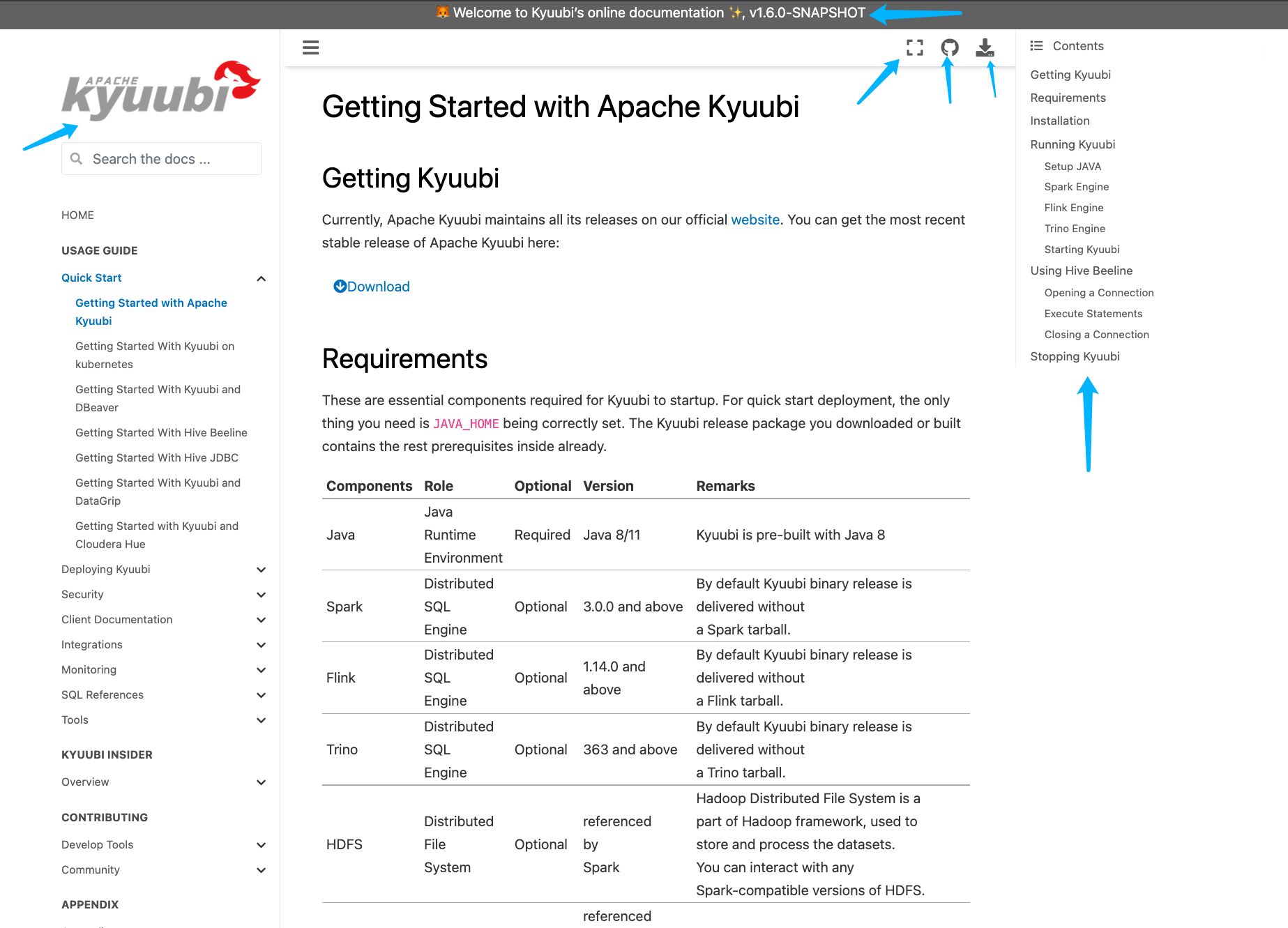 - [x] [Run test](https://kyuubi.apache.org/docs/latest/develop_tools/testing.html#running-tests) locally before make a pull request Closes #2751 from yaooqinn/doc2. Closes #2751 b8123525 [Kent Yao] Switch Authored-by: Kent Yao <yao@apache.org> Signed-off-by: Cheng Pan <chengpan@apache.org>

13 KiB
Deploy Kyuubi engines on Yarn
Deploy Kyuubi Spark Engine on Yarn
Requirements
When you want to deploy Kyuubi's Spark SQL engines on YARN, you'd better have cognition upon the following things.
- Knowing the basics about Running Spark on YARN
- A binary distribution of Spark which is built with YARN support
- You can use the built-in Spark distribution
- You can get it from Spark official website directly
- You can Build Spark with
-Pyarnmaven option
- An active Apache Hadoop YARN cluster
- An active Apache Hadoop HDFS cluster
- Setup Hadoop client configurations at the machine the Kyuubi server locates
Configurations
Environment
Either HADOOP_CONF_DIR or YARN_CONF_DIR is configured and points to the Hadoop client configurations directory, usually, $HADOOP_HOME/etc/hadoop.
If the HADOOP_CONF_DIR points the YARN and HDFS cluster correctly, you should be able to run the SparkPi example on YARN.
$ HADOOP_CONF_DIR=/path/to/hadoop/conf $SPARK_HOME/bin/spark-submit \
    --class org.apache.spark.examples.SparkPi \
    --master yarn \
    --queue thequeue \
    $SPARK_HOME/examples/jars/spark-examples*.jar \
    10
If the SparkPi passes, configure it in $KYUUBI_HOME/conf/kyuubi-env.sh or $SPARK_HOME/conf/spark-env.sh, e.g.
$ echo "export HADOOP_CONF_DIR=/path/to/hadoop/conf" >> $KYUUBI_HOME/conf/kyuubi-env.sh
Spark Properties
These properties are defined by Spark and Kyuubi will pass them to spark-submit to create Spark applications.
Note: None of these would take effect if the application for a particular user already exists.
- Specify it in the JDBC connection URL, e.g.
jdbc:hive2://localhost:10009/;#spark.master=yarn;spark.yarn.queue=thequeue - Specify it in
$KYUUBI_HOME/conf/kyuubi-defaults.conf - Specify it in
$SPARK_HOME/conf/spark-defaults.conf
Note: The priority goes down from top to bottom.
Master
Setting spark.master=yarn tells Kyuubi to submit Spark SQL engine applications to the YARN cluster manager.
Queue
Set spark.yarn.queue=thequeue in the JDBC connection string to tell Kyuubi to use the QUEUE in the YARN cluster, otherwise,
the QUEUE configured at Kyuubi server side will be used as default.
Sizing
Pass the configurations below through the JDBC connection string to set how many instances of Spark executor will be used and how many cpus and memory will Spark driver, ApplicationMaster and each executor take.
| Name | Default | Meaning |
|---|---|---|
| spark.executor.instances | 1 | The number of executors for static allocation |
| spark.executor.cores | 1 | The number of cores to use on each executor |
| spark.yarn.am.memory | 512m | Amount of memory to use for the YARN Application Master in client mode |
| spark.yarn.am.memoryOverhead | amMemory * 0.10, with minimum of 384 | Amount of non-heap memory to be allocated per am process in client mode |
| spark.driver.memory | 1g | Amount of memory to use for the driver process |
| spark.driver.memoryOverhead | driverMemory * 0.10, with minimum of 384 | Amount of non-heap memory to be allocated per driver process in cluster mode |
| spark.executor.memory | 1g | Amount of memory to use for the executor process |
| spark.executor.memoryOverhead | executorMemory * 0.10, with minimum of 384 | Amount of additional memory to be allocated per executor process. This is memory that accounts for things like VM overheads, interned strings other native overheads, etc |
It is recommended to use Dynamic Allocation with Kyuubi, since the SQL engine will be long-running for a period, execute user's queries from clients periodically, and the demand for computing resources is not the same for those queries. It is better for Spark to release some executors when either the query is lightweight, or the SQL engine is being idled.
Tuning
You can specify spark.yarn.archive or spark.yarn.jars to point to a world-readable location that contains Spark jars on HDFS,
which allows YARN to cache it on nodes so that it doesn't need to be distributed each time an application runs.
Others
Please refer to Spark properties to check other acceptable configs.
Kerberos
Kyuubi currently does not support Spark's YARN-specific Kerberos Configuration,
so spark.kerberos.keytab and spark.kerberos.principal should not use now.
Instead, you can schedule a periodically kinit process via crontab task on the local machine that hosts Kyuubi server or simply use Kyuubi Kinit.
Deploy Kyuubi Flink Engine on Yarn
Requirements
When you want to deploy Kyuubi's Flink SQL engines on YARN, you'd better have cognition upon the following things.
- Knowing the basics about Running Flink on YARN
- A binary distribution of Flink which is built with YARN support
- Download a recent Flink distribution from the Flink official website and unpack it
- An active Apache Hadoop YARN cluster
- Make sure your YARN cluster is ready for accepting Flink applications by running yarn top. It should show no error messages
- An active Object Storage cluster, e.g. HDFS, S3 and Minio etc.
- Setup Hadoop client configurations at the machine the Kyuubi server locates
Yarn Session Mode
Flink Configurations
execution.target: yarn-session
# Yarn Session Cluster application id.
yarn.application.id: application_00000000XX_00XX
Environment
Either HADOOP_CONF_DIR or YARN_CONF_DIR is configured and points to the Hadoop client configurations directory, usually, $HADOOP_HOME/etc/hadoop.
If the HADOOP_CONF_DIR points to the YARN and HDFS cluster correctly, and the HADOOP_CLASSPATH environment variable is set, you can launch a Flink on YARN session, and submit an example job:
# we assume to be in the root directory of
# the unzipped Flink distribution

# (0) export HADOOP_CLASSPATH
export HADOOP_CLASSPATH=`hadoop classpath`

# (1) Start YARN Session
./bin/yarn-session.sh --detached

# (2) You can now access the Flink Web Interface through the
# URL printed in the last lines of the command output, or through
# the YARN ResourceManager web UI.

# (3) Submit example job
./bin/flink run ./examples/streaming/TopSpeedWindowing.jar

# (4) Stop YARN session (replace the application id based
# on the output of the yarn-session.sh command)
echo "stop" | ./bin/yarn-session.sh -id application_XXXXX_XXX
If the TopSpeedWindowing passes, configure it in $KYUUBI_HOME/conf/kyuubi-env.sh
$ echo "export HADOOP_CONF_DIR=/path/to/hadoop/conf" >> $KYUUBI_HOME/conf/kyuubi-env.sh
Required Environment Variable
The FLINK_HADOOP_CLASSPATH is required, too.
For users who are using Hadoop 3.x, Hadoop shaded client is recommended instead of Hadoop vanilla jars.
For users who are using Hadoop 2.x, FLINK_HADOOP_CLASSPATH should be set to hadoop classpath to use Hadoop
vanilla jars. For users which does not use Hadoop services, e.g. HDFS, YARN at all, Hadoop client jars
is also required, and recommend to use Hadoop shaded client as Hadoop 3.x's users do.
See HADOOP-11656 for details of Hadoop shaded client.
To use Hadoop shaded client, please configure $KYUUBI_HOME/conf/kyuubi-env.sh as follows:
$ echo "export FLINK_HADOOP_CLASSPATH=/path/to/hadoop-client-runtime-3.3.2.jar:/path/to/hadoop-client-api-3.3.2.jar" >> $KYUUBI_HOME/conf/kyuubi-env.sh
To use Hadoop vanilla jars, please configure $KYUUBI_HOME/conf/kyuubi-env.sh as follows:
$ echo "export FLINK_HADOOP_CLASSPATH=`hadoop classpath`" >> $KYUUBI_HOME/conf/kyuubi-env.sh
Deployment Modes Supported by Flink on YARN
For experiment use, we recommend deploying Kyuubi Flink SQL engine in Session Mode. At present, Application Mode and Per-Job Mode (deprecated) are not supported for Flink engine.
Kerberos
As Kyuubi Flink SQL engine wraps the Flink SQL client that currently does not support Flink Kerberos Configuration,
so security.kerberos.login.keytab and security.kerberos.login.principal should not use now.
Instead, you can schedule a periodically kinit process via crontab task on the local machine that hosts Kyuubi server or simply use Kyuubi Kinit.
Deploy Kyuubi Hive Engine on Yarn
Requirements
When you want to deploy Kyuubi's Hive SQL engines on YARN, you'd better have cognition upon the following things.
- Knowing the basics about Running Hive on YARN
- A binary distribution of Hive
- You can use the built-in Hive distribution
- Download a recent Hive distribution from the Hive official website and unpack it
- You can Build Hive
- An active Apache Hadoop YARN cluster
- Make sure your YARN cluster is ready for accepting Hive applications by running yarn top. It should show no error messages
- An active Apache Hadoop HDFS cluster
- Setup Hadoop client configurations at the machine the Kyuubi server locates
- An active Hive Metastore Service
Configurations
Environment
Either HADOOP_CONF_DIR or YARN_CONF_DIR is configured and points to the Hadoop client configurations directory, usually, $HADOOP_HOME/etc/hadoop.
If the HADOOP_CONF_DIR points to the YARN and HDFS cluster correctly, you should be able to run the Hive SQL example on YARN.
$ $HIVE_HOME/bin/hiveserver2
# In another terminal
$ $HIVE_HOME/bin/beeline -u 'jdbc:hive2://localhost:10000/default'
0: jdbc:hive2://localhost:10000/default> CREATE TABLE pokes (foo INT, bar STRING);
0: jdbc:hive2://localhost:10000/default> INSERT INTO TABLE pokes VALUES (1, 'hello');
If the Hive SQL passes and there is a job in Yarn Web UI, It indicates the hive environment is normal.
Required Environment Variable
The HIVE_HADOOP_CLASSPATH is required, too. It should contain commons-collections-*.jar,
hadoop-client-runtime-*.jar, hadoop-client-api-*.jar and htrace-core4-*.jar.
All four jars are in the HADOOP_HOME.
For example, in Hadoop 3.1.0 version, the following is their location.
${HADOOP_HOME}/share/hadoop/common/lib/commons-collections-3.2.2.jar${HADOOP_HOME}/share/hadoop/client/hadoop-client-runtime-3.1.0.jar${HADOOP_HOME}/share/hadoop/client/hadoop-client-api-3.1.0.jar${HADOOP_HOME}/share/hadoop/common/lib/htrace-core4-4.1.0-incubating.jar
Configure them in $KYUUBI_HOME/conf/kyuubi-env.sh or $HIVE_HOME/conf/hive-env.sh, e.g.
$ echo "export HADOOP_CONF_DIR=/path/to/hadoop/conf" >> $KYUUBI_HOME/conf/kyuubi-env.sh
$ echo "export HIVE_HADOOP_CLASSPATH=${HADOOP_HOME}/share/hadoop/common/lib/commons-collections-3.2.2.jar:${HADOOP_HOME}/share/hadoop/client/hadoop-client-runtime-3.1.0.jar:${HADOOP_HOME}/share/hadoop/client/hadoop-client-api-3.1.0.jar:${HADOOP_HOME}/share/hadoop/common/lib/htrace-core4-4.1.0-incubating.jar" >> $KYUUBI_HOME/conf/kyuubi-env.sh